Skip to content

Feedback Loop for Continuous Improvement

This document describes how Aliveo AI continually refines its planning and execution pipeline based on user interactions. Each time a user submits a question, the system follows a five‐step process to generate, validate, execute, and ultimately store plans for future use. By looping back failed or successful workflows into central libraries, the system learns from every interaction and improves over time.

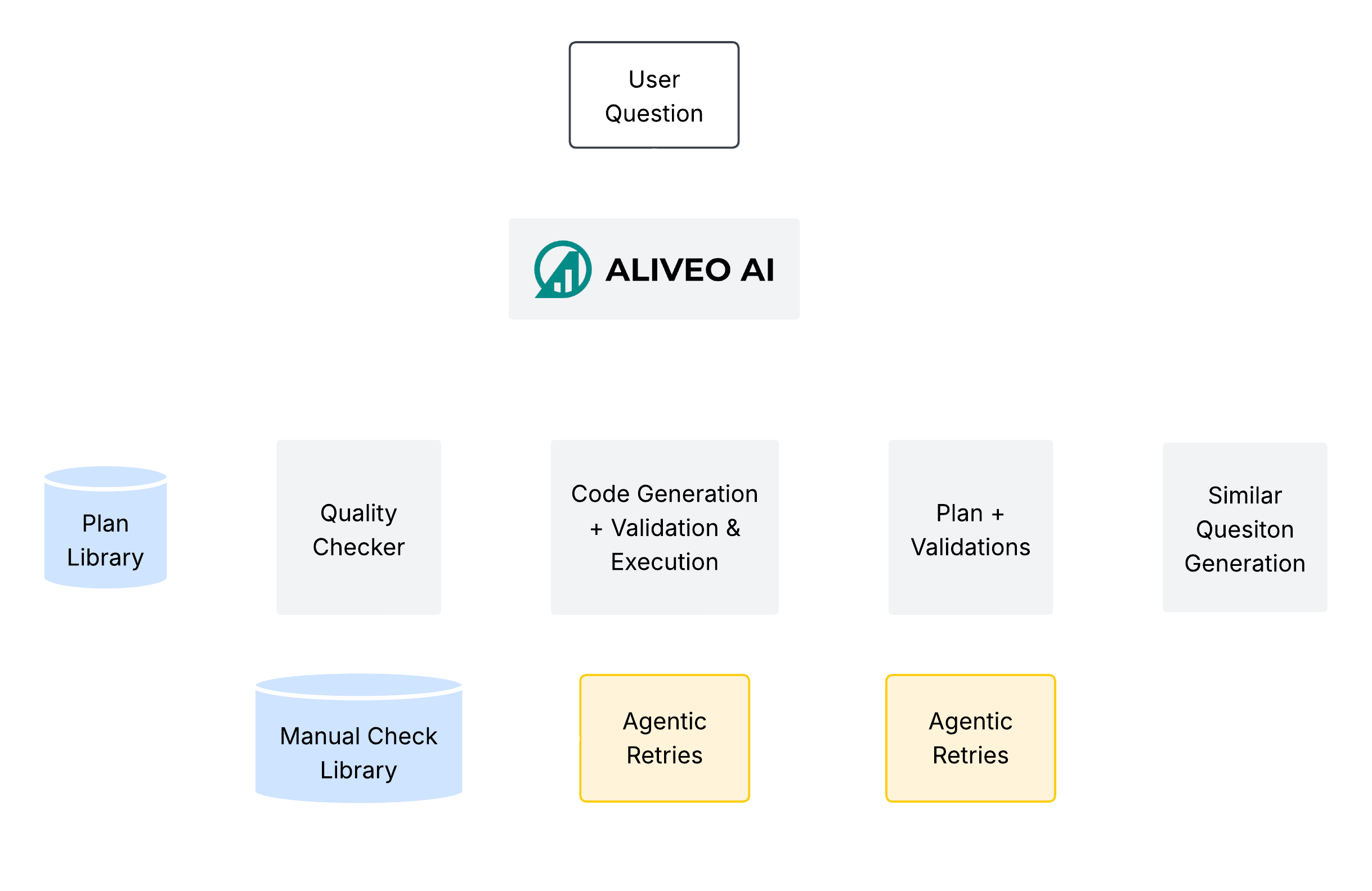
Feedback Loop Diagram

Generate Similar Questions

As soon as a user submits a question, Aliveo AI automatically spawns a set of similar questions that could reasonably be asked in the future. Using embedding‐based retrieval, the system finds variations in phrasing, focus, or scope—such as changing a date range, substituting related metrics, or flipping from “customer churn” to “customer retention.” By proactively generating these neighbor questions, the system prepares multiple planning pathways in parallel. This means that when a future user asks a slightly modified query, much of the groundwork has already been laid.

Plan Creation & Validation

For each question—both the original and its generated variants—a Plan Agent constructs a detailed sequence of subtasks. This plan typically outlines steps like “load the customer table,” “compute monthly churn rates,” “train a classification model,” and “visualize feature importance.” Once a draft plan exists, the same agent validates it against a set of logical and dependency checks. These automated validations ensure that data sources are referenced correctly, the order of operations makes sense (for example, filtering before aggregating), and any required user-defined functions (UDFs) are available. Only plans that pass these consistency checks proceed to code generation.

Code Generation & Error Handling

Each validated plan is handed off to the Code Engine, where a fine-tuned LLM generates code snippets for every subtask. As the code is generated, it undergoes linting and basic static validation to catch syntax errors or missing imports. During execution, a monitoring Agent watches for runtime failures—such as empty DataFrames after a filter, missing columns, or unhandled exceptions. When an issue arises, the Agent first attempts an automated fix by consulting a Common Error Library (gathered from past execution logs and test cases). If the Agent cannot resolve the error automatically, both the failing plan and its code are directed to a Manual Check Library. Engineers review these problematic cases at regular intervals, correcting flaws, adding edge-case tests, or refining UDFs. Corrected plans and code eventually re-enter the pipeline for re-execution.

Final Quality Check

When code execution completes without errors, the resulting outputs—data tables, charts, or model metrics—move into a final Quality Checker. This automated suite applies domain-specific tests (for instance, verifying that churn percentages sum to plausible totals, or that no required column is null) and cross-validates key metrics against expected ranges. The Quality Checker also ensures that any generated visualizations have proper labels and that narrative summaries accurately reflect the underlying numbers. If the checker identifies discrepancies (such as a sudden drop in spend that isn’t supported by transaction data), it flags the workflow for further review. Only workflows that pass every quality test are considered fully correct.

Plan Library Update

Once a workflow has passed plan validation, code execution, and the final Quality Checker, the system adds the corresponding plan to the central Plan Library. The stored entry includes not only the sequence of subtasks, but also relevant metadata: which UDFs were used, any edge-case tests that were added, and a record of how errors (if any) were resolved. Over time, this incremental accumulation of validated plans makes the Plan Library richer—new scenarios (e.g., atypical date ranges, special segmentation filters) become covered, and common pitfalls are encoded as negative examples. Future user questions benefit from this continually expanding repository, which speeds up plan generation and reduces the likelihood of repeated errors.