Data Connectivity
This section details how Aliveo AI connects to and ingests data from a wide range of sources, so your analytics and reporting stay up to date, comprehensive, and grounded in your business context.
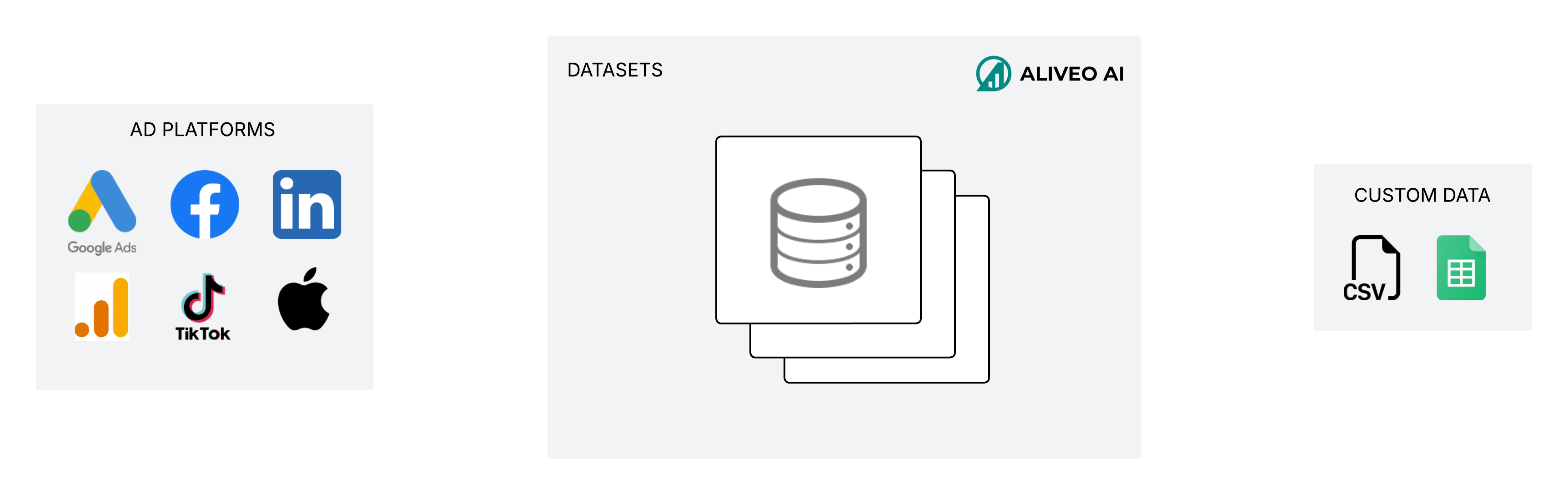
Automated API Integrations
Aliveo AI uses API connections to pull structured data from leading advertising platforms and analytics services. Supported integrations include:
- Google Ads: Ad performance, keyword performance, conversion tracking, audience insights, and more.
- Meta (Facebook & Instagram Ads): Performance metrics, ad sets, creative insights, and breakdowns by audience, placement, delivery and much more.
- LinkedIn Ads: Campaign performance, audience demographics, lead generation metrics, and more.
- Apple Search Ads (ASA): Campaign, ad group, keyword, and search-term performance with impression-share signals.
- Amazon Ads: Sponsored Products, Brands, and Display performance across campaigns, ad groups, keywords, and search terms.
- Snapchat Ads: Campaign, ad squad, and ad performance.
- TikTok Ads: Campaign performance plus video creative metadata used for creative-level reporting.
- Moloco Ads: Campaign and creative performance for performance-app advertisers.
- Google Analytics (GA4): First-party site/app analytics, conversion events, traffic sources, and audiences.
- Apptweak: Connect with an API key. App-store (ASO) and app-market data is coming soon.
All data is fetched on a schedule and ingested automatically, covering performance metrics, creative assets, audience segments, and more. We also pull in change logs to track historical performance and modifications, so when an answer says "CAC went up after the budget change on Tuesday," it has the actual event behind it.
Most data refreshes daily. A few very large Google Ads datasets (keyword and search-term, landing-page, and asset performance) are analysed at weekly granularity, each week running Monday → Sunday, for scale. Results from those can differ slightly from a daily-level view. Alongside metrics, we ingest breakdowns (audience, placement, device, and geo) and creative assets, so historical context is preserved even after you change something in the ad platform.
If an ad account can't be reached because it has been deactivated or disabled on the platform's side, Aliveo flags it as Inactive, so an unreachable account is easy to tell apart from a genuine data gap.
Mobile Measurement Partner (MMP) Integrations
To capture mobile app performance and attribution data, we integrate with top Mobile Measurement Partners, including:
- AppsFlyer
- Adjust
- and others as they become available.
This enables you to ingest install attribution, in-app events, cohort performance, and deep-linking metrics alongside your ad platform data, all in one unified dataset.
Operational Systems
For richer first-party context, Aliveo connects directly to Airtable. Refresh base and table data on demand, which suits teams managing creative briefs, taxonomies, or campaign plans in Airtable.
CSV, Google Sheets, and Warehouse Data
For data that has no direct API connection, or for one-off datasets, Aliveo AI supports:
- CSV File Uploads: Upload a CSV and review its columns before you save. Aliveo suggests a type for each column (Date, ID, Metric or Category); you can change it, choose how each metric adds up (Sum or Mean), and add a description so the AI knows what the column means. Click Save dataset when you're done.
- Google Sheets: Paste a Google Sheets URL to sync data from a sheet.
- Warehouse exports: For enterprise customers, see Enterprise Data Sharing below.
Joining Custom Data with Ad Data
When your custom data shares a key column with ad-platform data (e.g. campaign_id or country), it can be joined so the combined dataset shows up as one cohesive context in Chats and Automation Agents. This is how customers blend offline conversions, brand-tracker scores, lag-adjusted conversions, or first-party CRM signals into the same conversation as their paid-media metrics.
Lag Modeling
For metrics that have a known reporting lag (typical for conversions in performance-app advertising and some MMPs), Aliveo can apply lag modeling: it produces adjusted views that estimate what the final numbers will look like once attribution catches up. This is especially relevant when running daily or weekly reporting on metrics where the recent days are not yet stable.
Knowledge Documents
Beyond rows-and-columns data, Aliveo treats knowledge documents (Google Docs, Google Sheets, CSVs, and inline custom text) as first-class context. Documents can be scoped globally, per business, or per account, and are read in chats and automation agents when you @-mention them. See Knowledge Documents.
Enterprise Data Sharing
For larger organizations and enterprise teams, Aliveo AI offers:
- Warehouse exports to S3: Data from your warehouse can be delivered as file exports to Amazon S3 and ingested from there.
- Programmatic uploads with API keys: Generate an API key in your account settings and push CSV files to Aliveo programmatically.
Once data connections are established, Aliveo AI automatically:
- Builds a data model for each account: records your KPIs and funnels, what each column means and how it adds up, and the tags in your campaign names. See How Aliveo Understands Your Data.
- Extracts Creative Features: For images and videos, applies the org-level taxonomy (see Creative Feature Configurations) to derive themes, CTAs, and visual attributes.
- Updates Continuously: Takes in new data on every refresh and tags new campaigns as they appear, with no manual work.
This data model, together with your context, powers every feature on the platform. It lets you ask complex questions, generate insights, and visualize performance across all your marketing channels in a single, unified view.